
Autoclose
Close the tabs you already know you do not need.
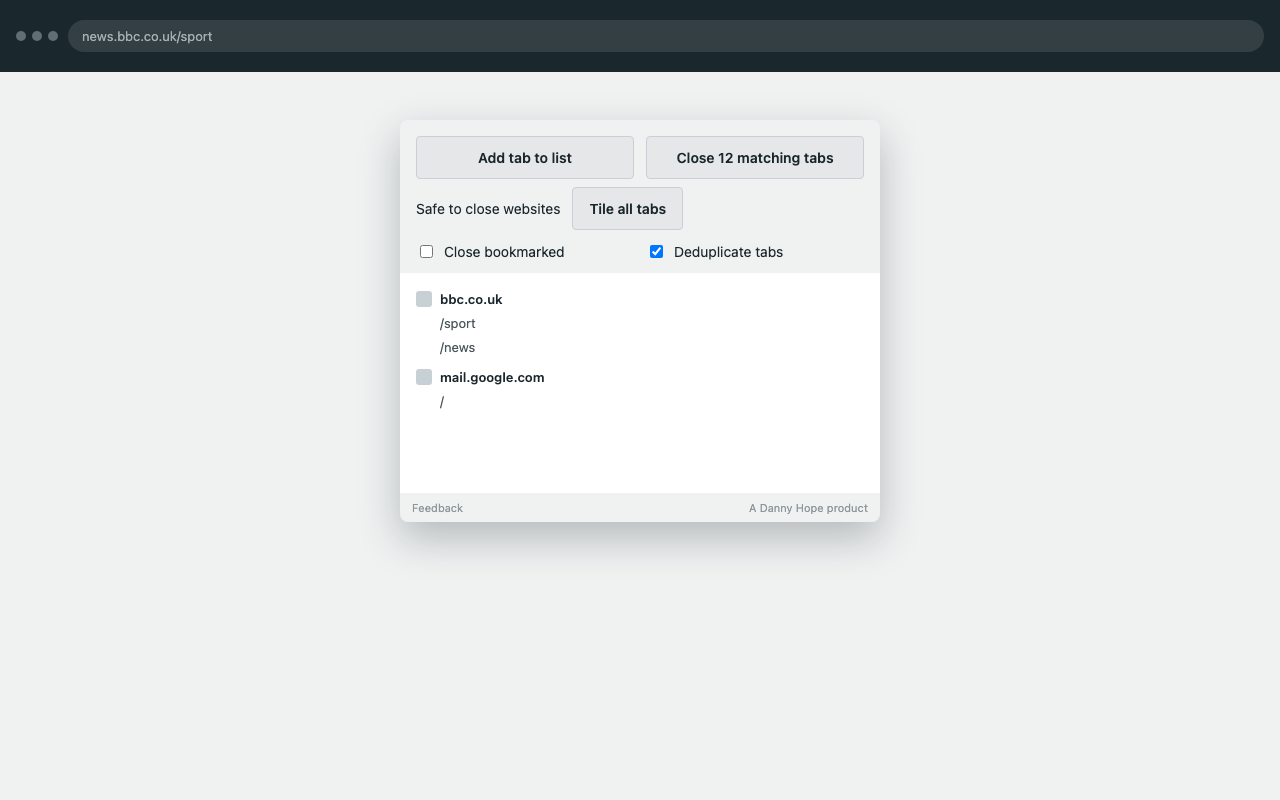
You tell it which sites you often have open that are always safe to close. It gives you a button to close those matching tabs in one go. Closing never happens on its own.
How to use it
- Pin Auto-close tabs and open the popup
- Add the current tab (or all tabs in the window) to your safe-to-close list
- Press the close button to shut every matching tab
- Use Never close to protect a site that must stay open
Optional: close bookmarked tabs and duplicates at the same time. While the popup is open, matching tabs get a red-circle prefix in the tab title so you can see what would go.
What to look for
- Does the close count match what you expected?
- Does Never close actually spare those tabs?
- Anything confusing about adding a pattern?
Privacy policy
Autoclose (listed as Auto-close tabs) is a browser extension that stores URL patterns you mark as safe to close, and closes matching tabs when you ask. This policy explains what the extension does with your data.
What we collect
We do not collect, store, or transmit your personal data to any server operated by the extension developer. The extension runs in your browser. There is no developer-operated backend, analytics, advertising, or tracking.
What happens in your browser
- Your safe-to-close and never-close URL lists, plus a few UI toggles, are saved with Chrome’s
storage.syncAPI so they can follow your Chrome profile. - The extension reads tab URLs in order to match those patterns, update the toolbar badge, and close tabs you requested.
- If you turn on Close bookmarked, it reads bookmark URLs only to compare them with open tabs.
- Site icons in the popup come from Chrome’s favicon API.
- While the popup is open, a content script may prefix a matching tab’s title with a warning mark. That change stays in the tab; it is not sent anywhere.
Permissions
- storage — save your lists and settings in Chrome sync storage.
- tabs — query open tabs, close the ones you asked to close, and show a badge count.
- bookmarks — only used when Close bookmarked is on, to find tabs that are already bookmarked.
- favicon — show a small site icon next to each domain in the list.
- Host access (http and https pages) — a content script that marks matching tab titles while the popup is open.
Third parties
None operated by the developer. Chrome itself may apply its own policies to extension installation, updates, and sync from the Chrome Web Store and your Google account.
Data retention
Lists live in your Chrome profile until you delete them or uninstall the extension. The developer does not hold a copy.
Children
This extension is not directed at children under 13.
Changes
We may update this policy. The “Last updated” date above will change when we do.
Contact
Questions: Feedback