
Matavar
Sender avatars for Gmail — click to filter, hover to highlight.
This is the page I send to people I know. Install it, use it on your real inbox, then tell me what is wrong or confusing before I share it more widely.
Try it
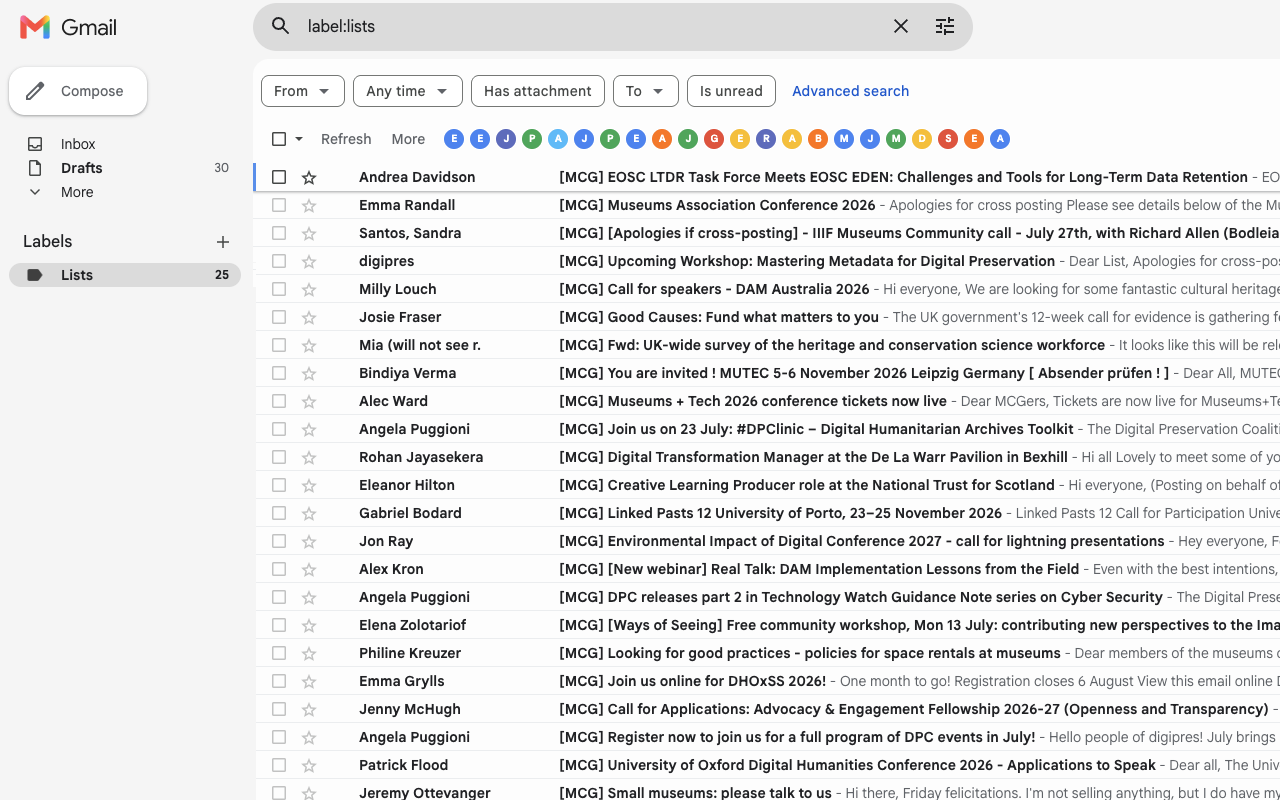
Open Gmail after installing. You should see a row of sender avatars on the inbox toolbar.
- Click an avatar to filter that sender
- Hover an avatar to highlight their messages
- One avatar per sender
What to look for
- Do avatars appear for the senders you actually have?
- Does click-to-filter match Gmail’s own filters?
- Does hover highlight the right rows?
- Anything slow, missing, or in the way of Gmail’s own toolbar?
Privacy policy
Matavar is a browser extension that adds a row of sender avatars to Gmail’s inbox toolbar. This policy explains what the extension does with your data.
What we collect
We do not collect, store, or transmit your personal data to any server operated by the extension developer. The extension runs entirely in your browser on Gmail pages you visit.
What happens on Gmail
- The extension reads sender names and email addresses from the Gmail page you are viewing so it can show avatars and filters.
- To show profile photos, the extension uses the same Google People lookup request Gmail uses, sent from your logged-in browser session to Google. We do not receive or store those photos on our servers.
- Sender favicons may be loaded from Google’s favicon service when a profile photo is unavailable.
Permissions
The extension requests no special Chrome permissions. It only runs on https://mail.google.com/* via a content script declared in the extension manifest.
Third parties
- Google / Gmail — page content and profile photo lookup while you are signed in.
- Google favicon service — optional domain icons for senders without a profile photo.
We do not use analytics, advertising, or tracking services.
Data retention
Profile photo URLs are cached in memory only for the current Gmail session tab. Nothing is written to external storage by the extension.
Children
This extension is not directed at children under 13.
Changes
We may update this policy. The “Last updated” date above will change when we do.
Contact
Questions: Feedback