
Video Speed Controller
Speed up or slow down HTML5 video on almost any website — YouTube, courses, news clips — without hunting through each player’s menus.
This is the page I send to people I know. The Chrome Web Store listing is unlisted on purpose: I want your feedback and bug reports before I share it more widely.
Try it
Ask me for the Chrome Web Store link (unlisted while I collect feedback). After you install it, open a page with a video and try the defaults:
- D — speed up
- A — slow down
- S — reset / toggle normal speed
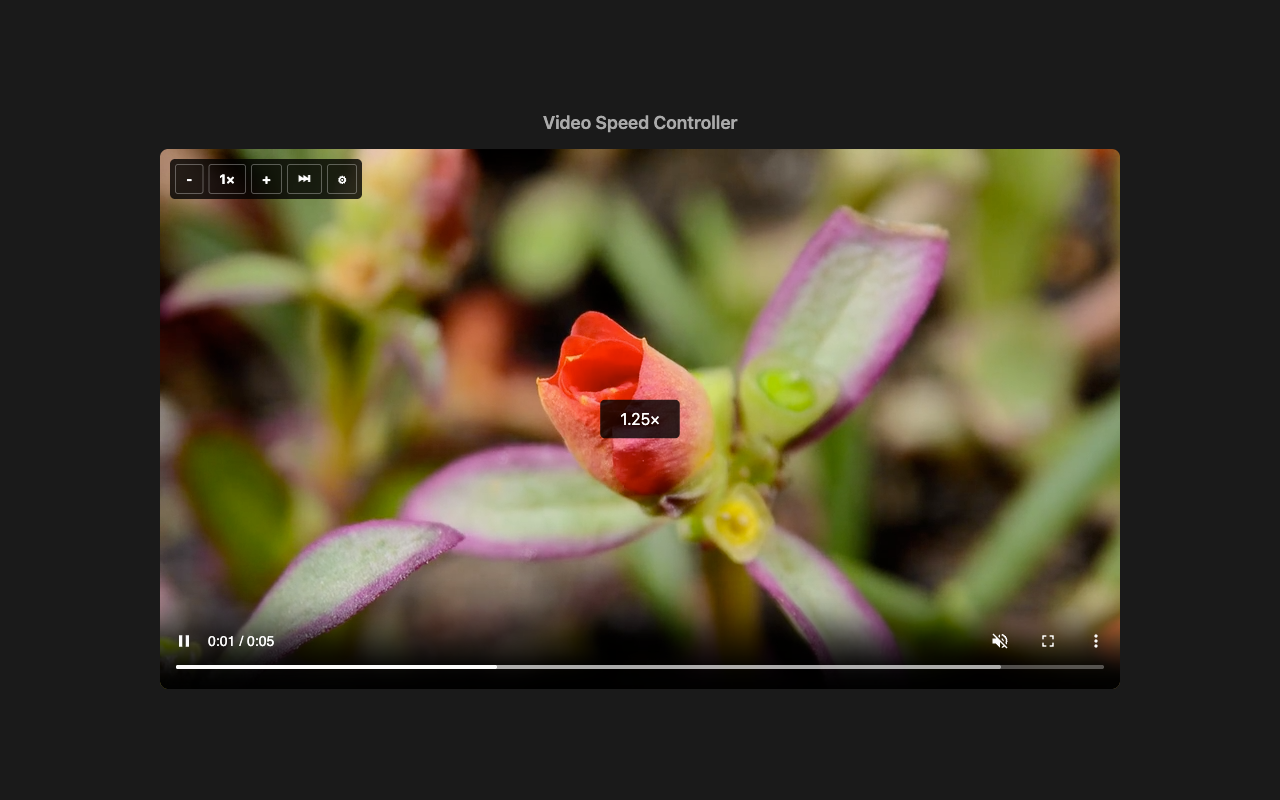
Hover the video for − / 1× / + controls, skip silence (when captions exist), and Preferences. Change keys and speed presets in Preferences.
This is my own extension (A Danny Hope product), not the long-standing store item of the same name by igrigorik.
What to look for
- Does speed change on the video you actually watch (YouTube and at least one other site)?
- Do the shortcuts fire when you want them, and stay out of the way when you are typing?
- Do the on-screen controls appear, stay put, and make sense?
- Anything confusing, broken, or missing?
Send that to me. I will use it to improve the extension before the listing goes public.
Privacy policy
Video Speed Controller is a browser extension that changes HTML5 video playback speed on websites you visit. This policy explains what the extension does with your data.
What we collect
We do not collect, store, or transmit your personal data to any server operated by the extension developer. The extension runs in your browser. There is no developer-operated backend, analytics, advertising, or tracking.
What happens in your browser
- The extension detects video elements (and some YouTube embed iframes) on pages you open so it can change playback rate and show on-screen controls.
- Your settings (custom speeds, keyboard shortcuts, and related preferences) are stored using Chrome’s sync storage so they can follow your Chrome profile if sync is enabled.
- On pages with YouTube embeds, the extension may load YouTube’s IFrame Player API in the page context so playback rate can be set on those embeds. That request goes to YouTube/Google, not to the developer.
Permissions
- storage — save and sync your settings.
- sidePanel — open settings from the on-video settings button.
- Host access (content scripts on pages you visit) — required so speed controls work on videos across websites. The extension does not read page content for advertising or sell data.
Third parties
- Google Chrome — settings sync via Chrome storage when you use Chrome Sync.
- YouTube / Google — only when controlling YouTube embeds via the IFrame Player API.
We do not use analytics, advertising, or tracking services.
Data retention
Settings remain in your browser (and Chrome Sync, if enabled) until you clear them or uninstall the extension. The developer does not retain a copy.
Children
This extension is not directed at children under 13.
Changes
We may update this policy. The “Last updated” date above will change when we do.
Contact
Questions and testers: Feedback